Auxiliary Functions
There are some auxiliary functions in the ribbon panel.



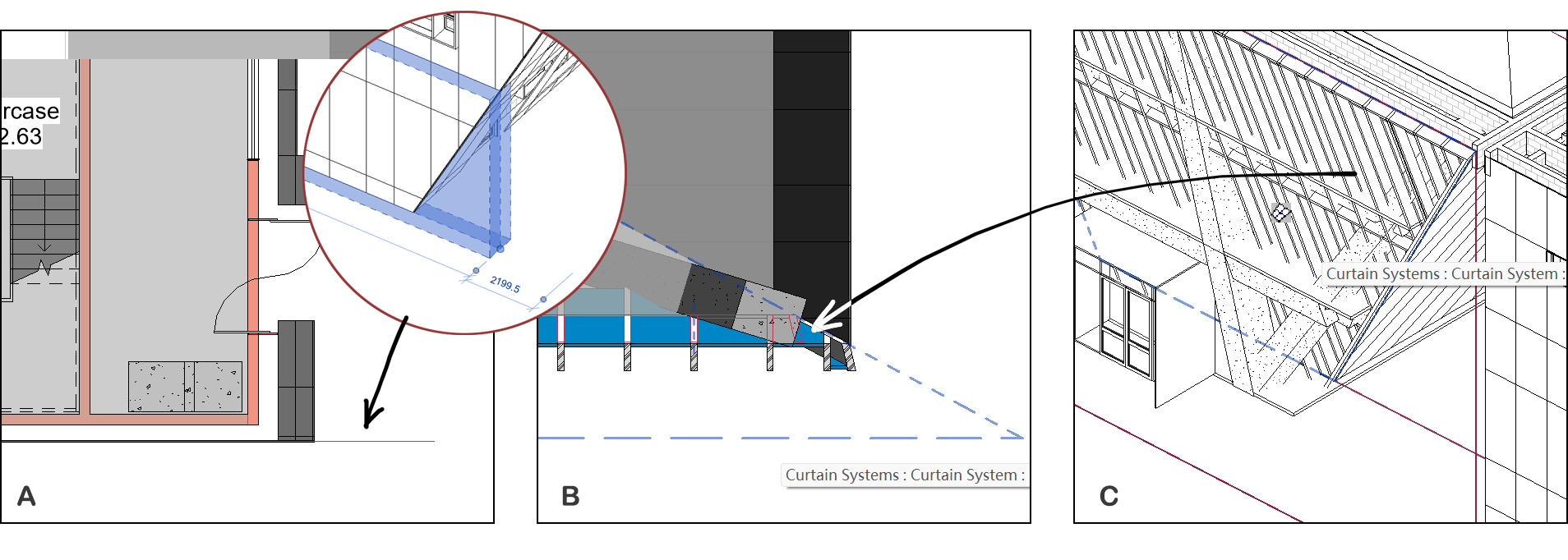
A ‘Sketch location’ draws the location curve of an element by NewDetailCurve(). Usually a horizontal curve for the wall and a vertical line for the column. The location curve represents the sweep line of an element, although there might not be actual solids, such as the trapezoidal curtain wall in A.
B ‘Sketch footprint’ draws the footprint of an element, which is the the section of element intersected with the current view plane. In this case, the mullions and panels of a curtain system are outlined, by intersecting with the third-floor plane.
C ‘Sketch bounding box’ visualizes the BoundingBox of an element by creating DirectShape by DirectShape.CreateElement(). Sometimes, the bounding box is far from the actual shape. For example, the wall may span multiple levels while the actual solid only occupies one.

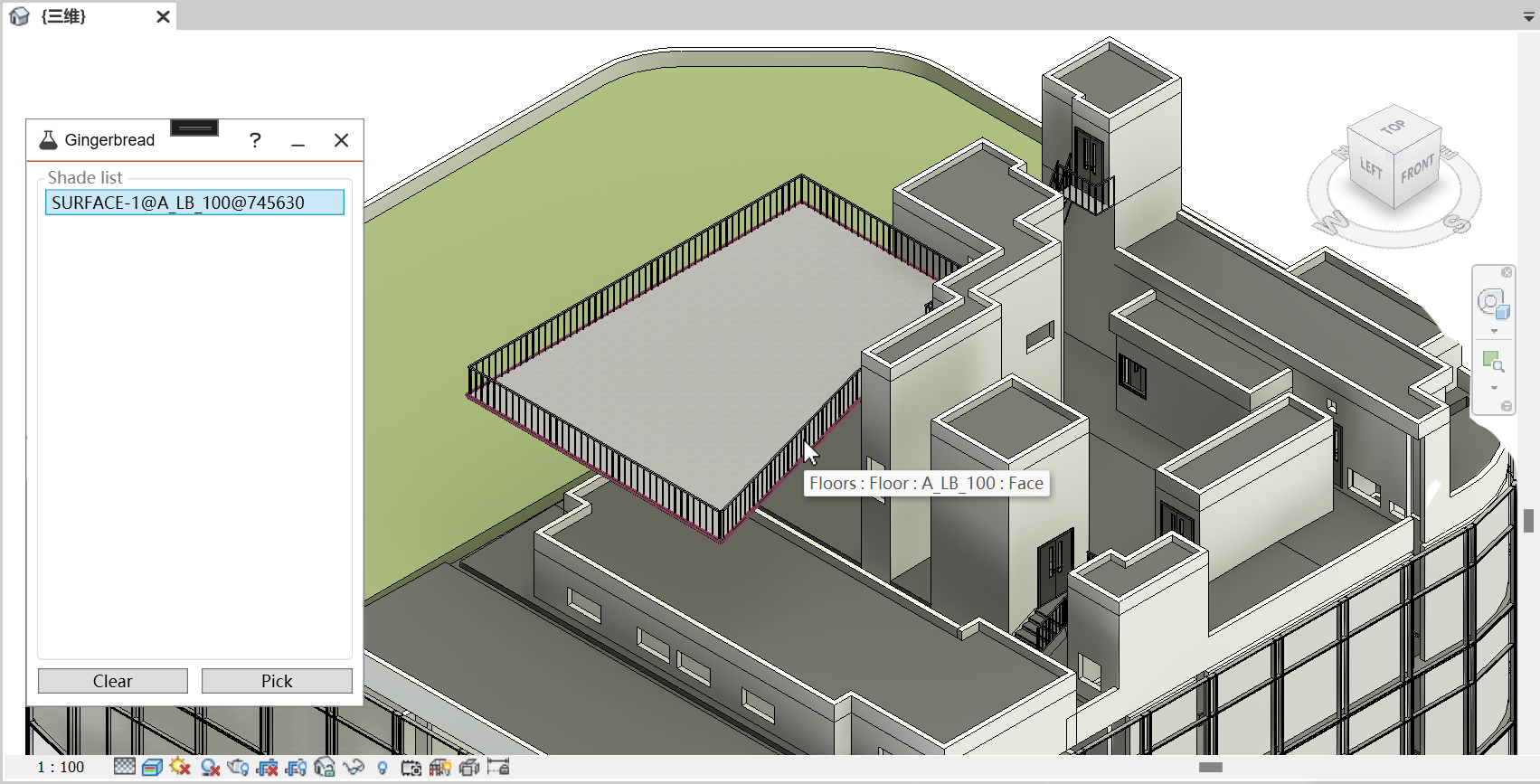
Allow user to select certain face as a shading surface by PlanarFaceFilter(). The listed faces will be serialized in XML. Click each face will create a DirectShape of CurveLoop retrieved by PlanarFace.GetEdgesAsCurveLoops(). Deselection will erase the changes to current model.

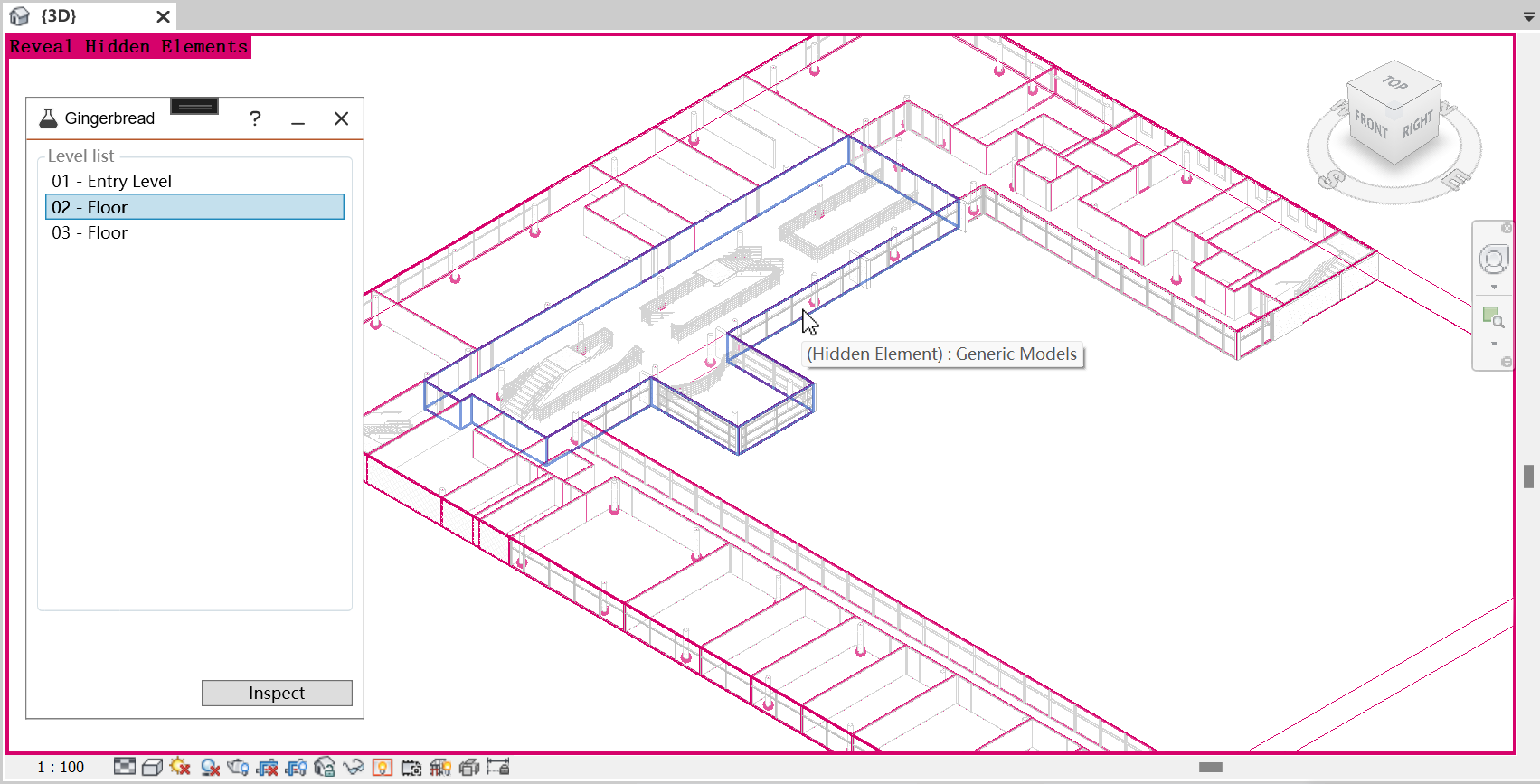
After XML generation, the recognized spaces will be cached in a local JSON file. When a floorplan is selected, it gets isolated with the ‘Review Hidden Elements’ mode. Recognized spaces are highlighted in DirectShape while other elements dim out. Only spaces can be selected by DirectShapeFilter() by clicking the ‘Inspect’ button. Switching floorplans erases current direct shapes and draws new ones.
This can help the user to check all spaces are air-tight and located correctly. For detailed XML visualization, we recommend Aragog.

Material setting panel is under development.



Automatic simulation is under development.